We've given your Earnings page a fresh new format. Managing your cashback is now easier and clearer than before. 
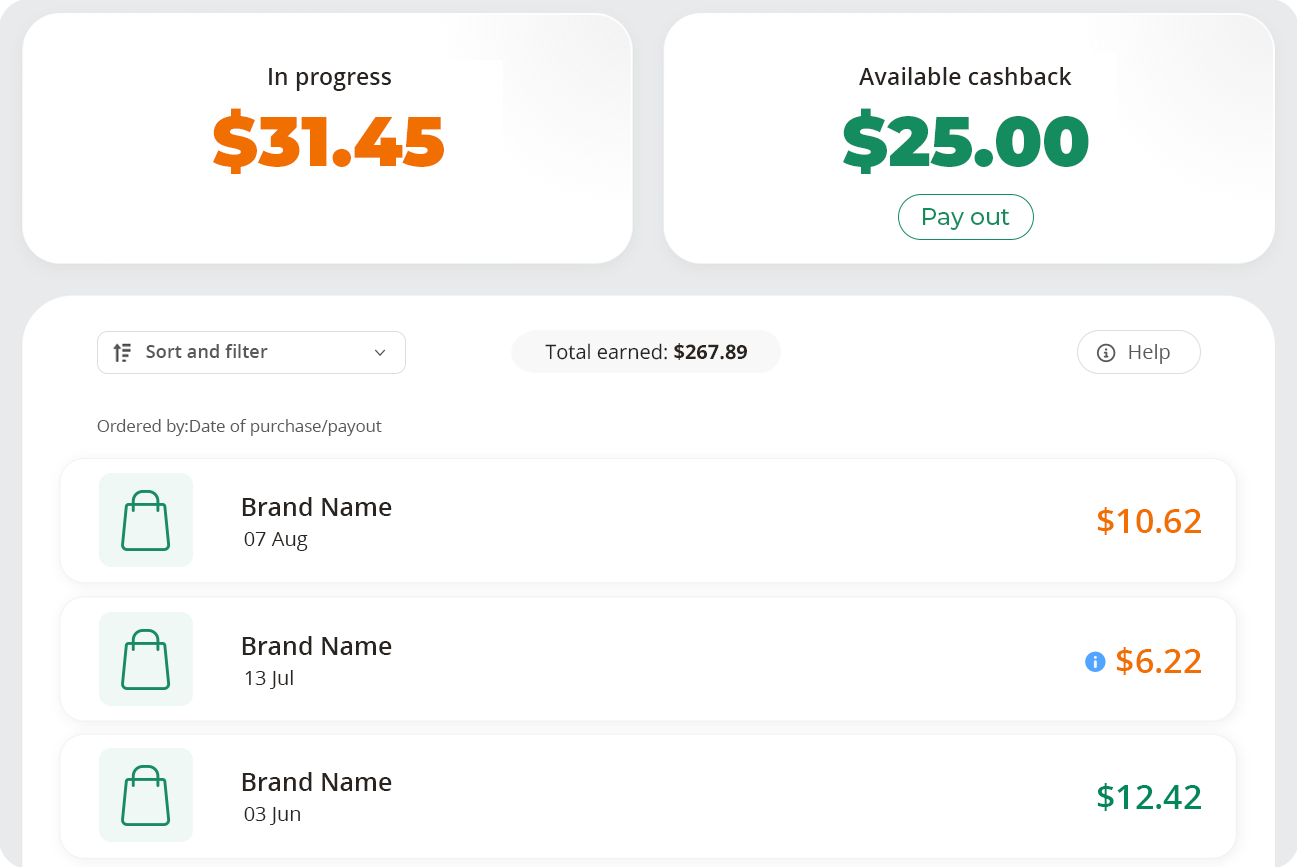
- At a glance: see how much of your cashback is still In Progress, and how much is Available for you to pay out and enjoy.
- Payable dates: see when your cashback is expected to become available.
- Payouts: a single payout amount rather than showing individual transactions as claimed.
In Progress Cashback
In Progress cashback covers all of your purchases that have been tracked and are currently being processed by the retailer. This cashback will be displayed in orange on your Earnings page.
Previously, you would have seen this cashback labelled as either Pending or Confirmed.
Available Cashback
This is the balance at the top in green which shows how much cashback you have available to pay out. If you request a payout, you’ll see your Available cashback balance decrease in line with your withdrawal.
Previously, you would have seen this as either payable or claimed cashback.
Cashback added to your balance
When a retailer has paid us your cashback, we’ll mark it as Available in your account. This will change the colour of those cashback earnings from orange to green.

Previously, you would have seen this cashback labelled as either Payable or Claimed.
Declined Cashback
If a retailer declines your cashback, the cashback amount will appear struck through and coloured grey. The value of the declined cashback will no longer be included in your In Progress total.
You can click the transaction to see more information about what happened and in some cases, you'll see the reason it was declined.
Purchases with an ‘i’ icon
The 'i' icon lets you know there's important information about your cashback. For example, it may explain that we're waiting for the retailer to confirm the final cashback amount. This means the amount you see isn't final and could increase or decrease.
To read the information, you can click on the transaction.

Previously, you would have seen this cashback labelled as Pending Uplift.
Payouts
Your earnings page now shows your payouts as well as your cashback. This makes it easier to see what you've paid out and what’s still in progress.

Total earned
Your Total Earned amount is the total of cashback that you’ve earned since joining TopCashback. This figure also includes any cashback that’s still marked as In Progress.
Filtering your earnings
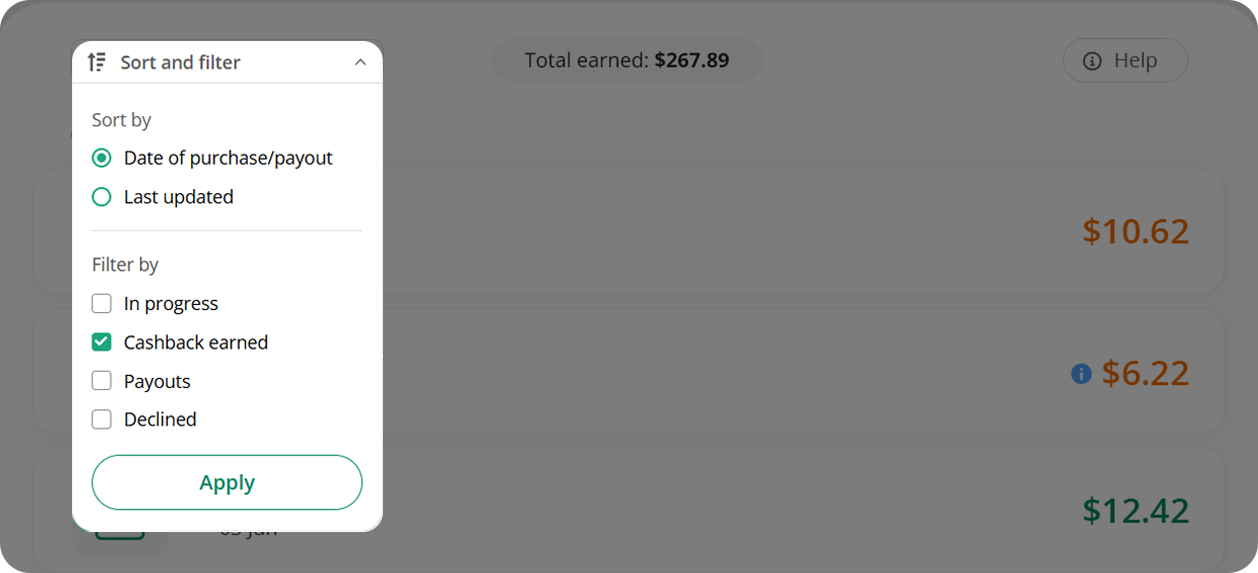
You can use the filter on the left of your screen. You can view cashback that is in progress, has been earned or declined. You can also use it to see your payouts.
Other Questions
Where can I see when my cashback is expected to become available?
You can select a transaction that’s in progress to see when we estimate your cashback to become available.
How can I see more details about a transaction?
You can click a cashback transaction in your earnings to see more details. You'll see your order ID, any membership bonus, and when we expect your cashback to be available.
What will happen when a retailer confirms my cashback?
While most cashback moves straight from in progress to available this may not always be the case and the retailer will approve your cashback first. When this happens, your cashback will remain in progress. Once the retailer approves it, you'll see a message if you click to view the transaction.
Can I see the cashback I have claimed?
Rather than show you claimed transactions, we now show payouts on your earnings page. This should make it easier to see earned cashback and payouts you make.
You can however, still see individual claimed transactions on your payout breakdown. You can find this in your payout history page.
 ENTER
ENTER